Self-Activation Guide

STEP 1

Prepare your USIM

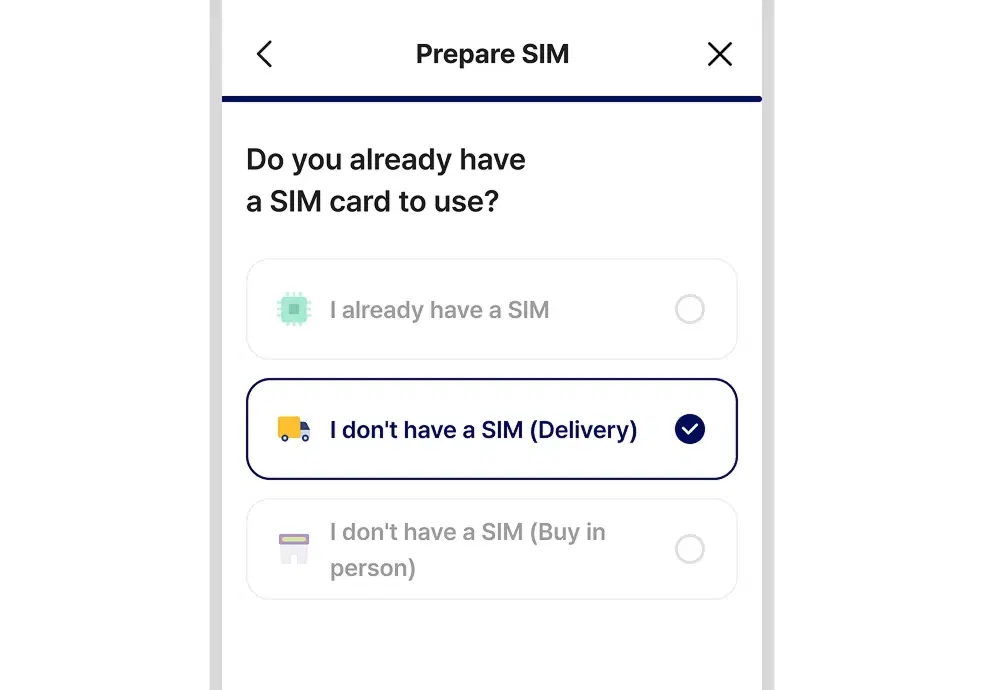
Example screen for selecting USIM delivery

Option 1. Receive by delivery (selected during sign-up)

On the USIM preparation page, select ‘I don’t have a USIM (delivery)’ and enter the address where you want to receive it. We will deliver the USIM to the address you entered.
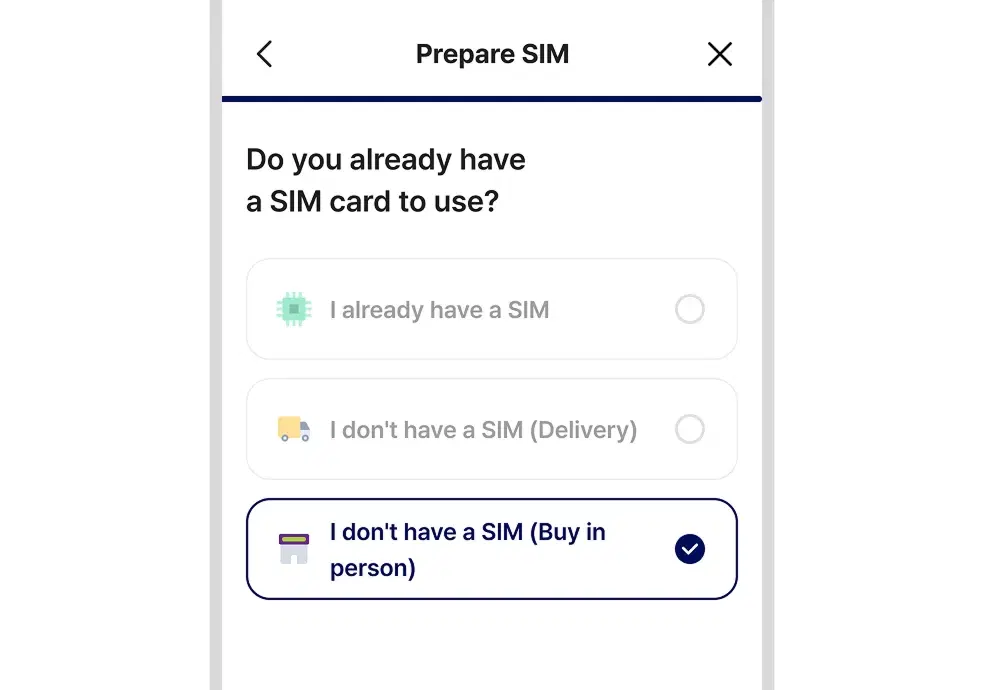
Example screen for selecting direct USIM purchase

Option 2. Buy it yourself

Please buy a Modoo's Principle USIM (for LGU+) at a nearby emart24, Daiso, or similar store.

※ Only LGU+ network USIMs can be activated.
STEP 2

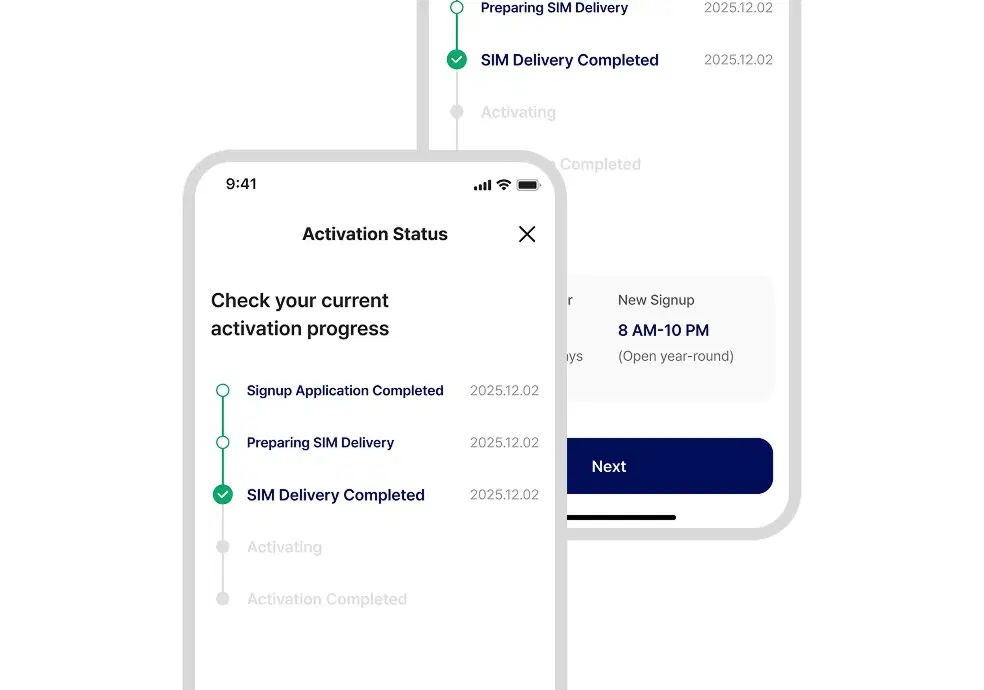
Go to the activation status page

Example activation status page screen

After receiving your USIM, tap the 'Submit final activation request' button in your email or AlimTalk message. You can also continue directly from koro.kr/mvno/activation.

STEP 3

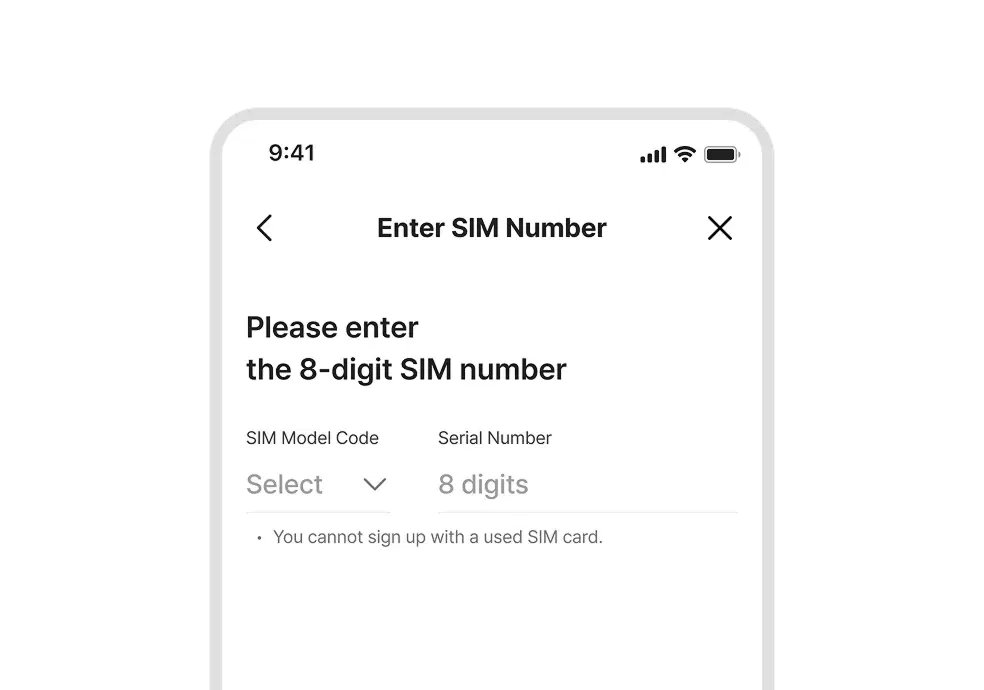
Enter your USIM number

Example USIM number entry screen

Please enter the USIM model code and serial number (ICCID) on your USIM card. Check the information you entered, then continue to the next step.

STEP 4

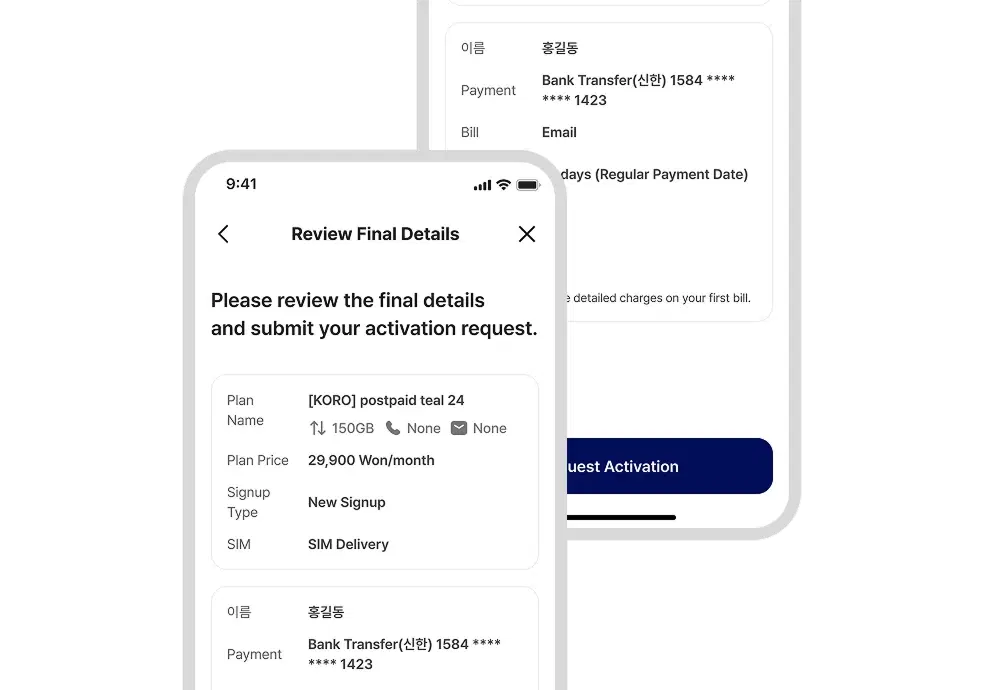
Check your sign-up information

Example final review screen

Enter any additional sign-up information and review the final details, then tap the [Activation request] button.

STEP 5

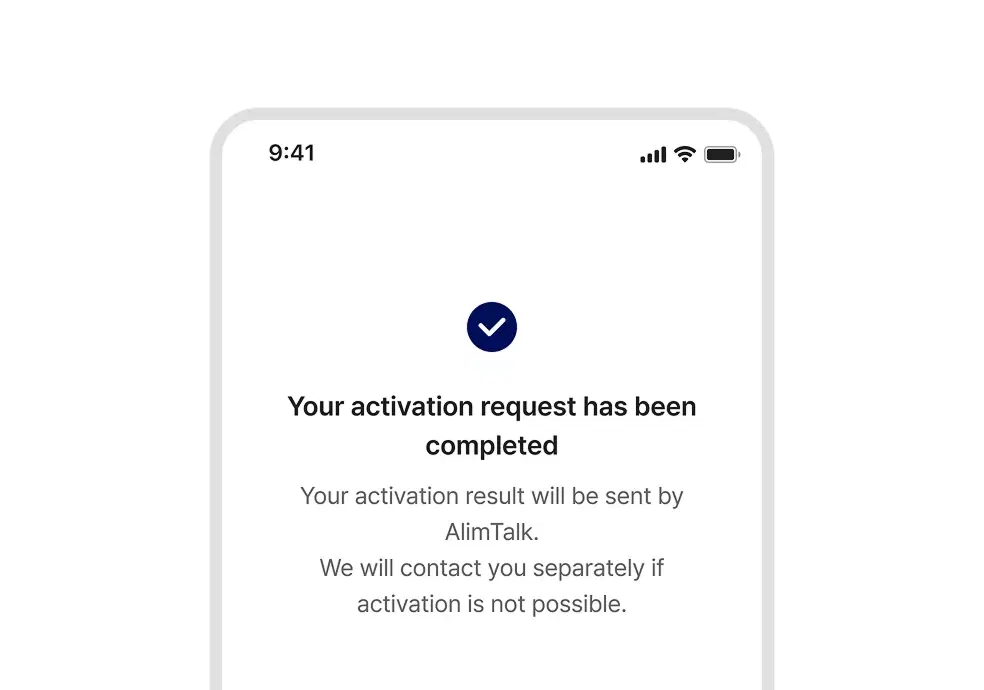
Your final activation request is complete

Example final activation request complete screen

The activation result will be sent by email and AlimTalk. Once activation is completed successfully, you can use the service right away.

※ If a problem occurs, please contact the help center.